
Connect NetSuite to every channel you sell on
A native, API-level integration that forwards orders, keeps inventory aligned in both systems and creates invoices in NetSuite, with no third-party connector or middleware to license and maintain.
What syncs between StoreAutomator and NetSuite
Build around your setup
NetSuite connects as a channel, then adapts to you. Data mapping and overrides match your fields, and the API integration can be customized to your requirements.
Order forwarding and tracking
Orders captured in StoreAutomator are forwarded to NetSuite automatically, and tracking information flows back the same way. No one rekeys an order number.
Two-way inventory sync
The integration sends and receives quantities at the API level, so stock stays aligned in both systems. You pick the NetSuite location and whether to use on-hand or available quantity.
Invoicing in Oracle NetSuite
Marketplace activity creates invoices in NetSuite, so finance and operations work from one record instead of reconciling two sets of numbers at the end of the month.
Communication runs in both directions
Not a one-way export. Each record moves to the system that needs it, automatically.
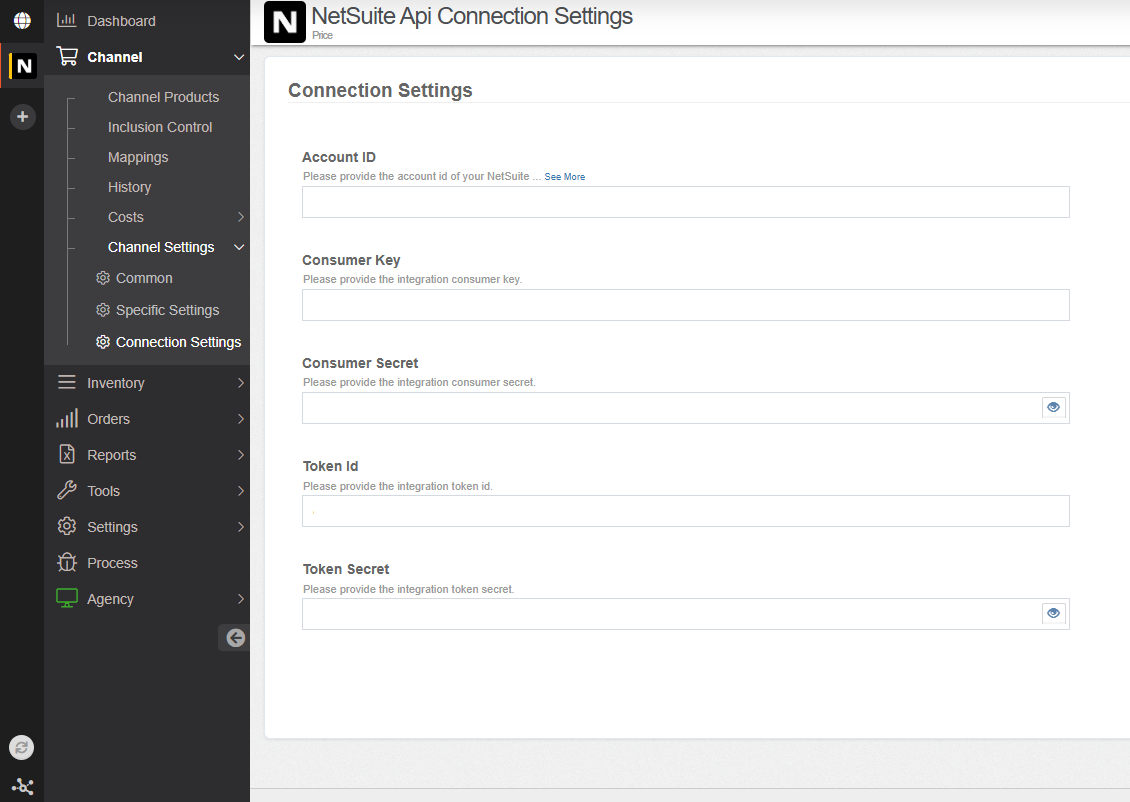
Connect NetSuite in three steps
NetSuite is added like any other channel, and our onboarding team helps configure it around how your account is set up.
- 1
Add NetSuite as a channel
Go to Settings > Channels and add NetSuite.
- 2
Enter your credentials
Account ID, Consumer Key, Consumer Secret, Token ID and Token Secret.
- 3
Choose location and quantity
Pick the NetSuite inventory location and whether to use on-hand or available quantity.
NetSuite integration questions
Does StoreAutomator have a native NetSuite integration?
What data moves between StoreAutomator and NetSuite?
How is the NetSuite integration set up?
Can I control which inventory location and quantity type sync?
Does it support multiple inventory locations?
Can the integration be customized?
See the NetSuite integration in action
Enter your work email and pick a time for a walkthrough with our team.